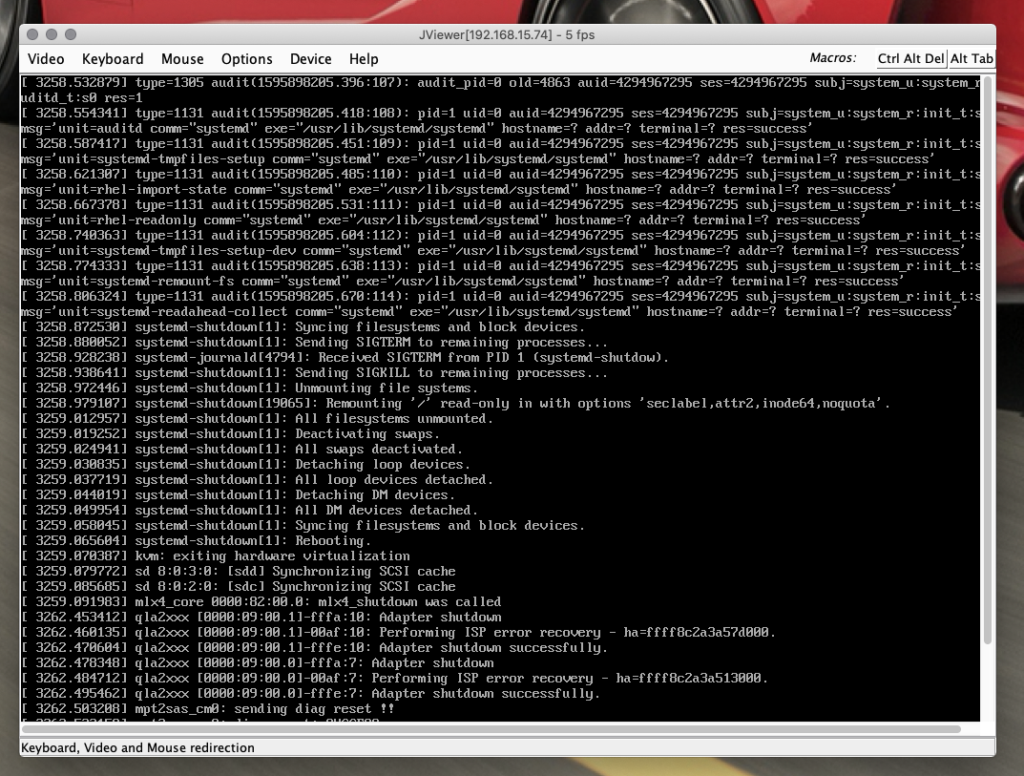
Most us devops engineer nerds have to deal with old java versions for things like IPMI and network device configuration tools… New versions of Java literally refuse to work due to security issues… soooo I present to you.. a solution!
Once you’ve done that, simply open the jnlp file with “OpenWebStart” and it will just “work”. You may need to open the settings app for OpenWebStart and select the OpenJDK JVM over Horacle java.
I constantly switch between speakers and headset.. like 5-6 times per day for conference calls and such…. and changing the audio source was super annoying.. SO THIS BECAME A THING.
Install switchaudio-osx from brew
# brew install switchaudio-osx
Then you can list the audio devices available on your system to edit the code in the next step.
# /opt/homebrew/Cellar/switchaudio-osx/*/SwitchAudioSource -a
G533 Gaming Headset
Logitech Webcam C930e
DELL U2713HM
HP Z38c
HP Z38c
G533 Gaming Headset
External Headphones
Mac Studio Speakers
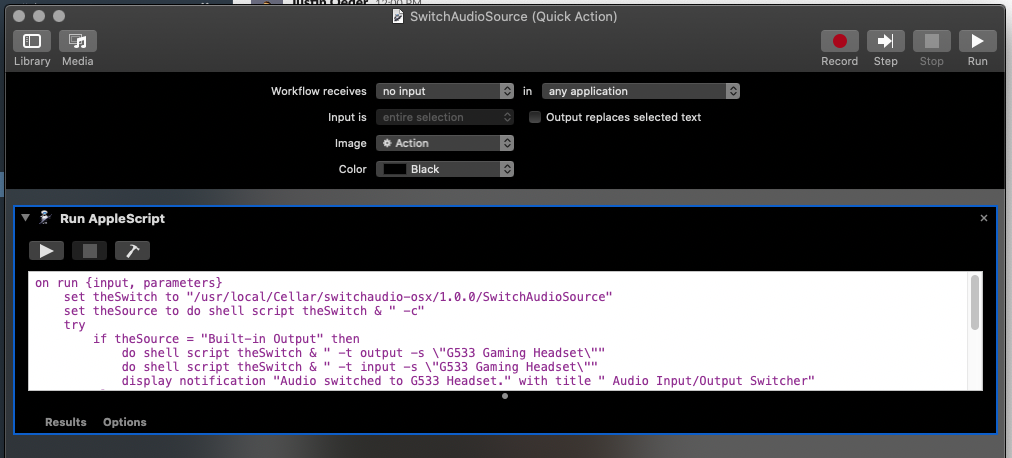
Open automator and create a a new quick action. Automator:
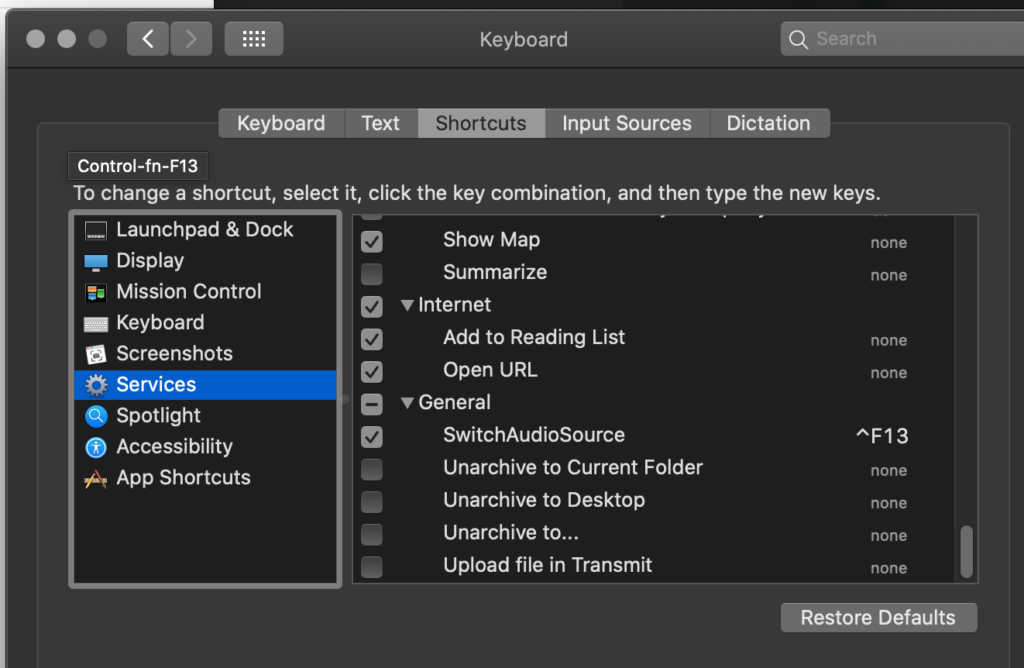
Using MacOS “Automator” and “switchaudio-osx” from Brew I was able to automate switching to my logitech 533 headset automagically. I have this setup on a key binding for control+F13
The code:
on run {input, parameters}
	set theSwitch to "/usr/local/Cellar/switchaudio-osx/EDIT-ME/SwitchAudioSource"
	set theSource to do shell script theSwitch & " -c"
	try
		if theSource = "Built-in Output" then
			do shell script theSwitch & " -t output -s \"G533 Gaming Headset\""
			do shell script theSwitch & " -t input -s \"G533 Gaming Headset\""
			display notification "Audio switched to G533 Headset." with title " Audio Input/Output Switcher"
		else
			do shell script theSwitch & " -t output -s \"Built-in Output\""
			do shell script theSwitch & " -t input -s \"Built-in Microphone\""
			display notification "Audio switched to Internal iMac Devices." with title " Audio Input/Output Switcher"
		end if
	end try
	return input
end run
The CentOS kernel is really old… some hardware requires a newer kernel, like intel VROC requires kernel 4.15+ to work properly…
This guide assumes you’ve installed the kernels for the CentOS AltArch kernel repo: http://mirror.centos.org/altarch/7/kernel/x86_64/
#Download latest pxe kernel initramfs
wget http://mirror.centos.org/centos-7/7/os/x86_64/images/pxeboot/vmlinuz -O /tmp/pxeinitrd.img

#Make a directory
mkdir /tmp/pxeinitrd
cd /tmp/pxeinitrd

#Extract the kernel into the folder
/usr/lib/dracut/skipcpio /tmp/pxeinitrd.img | xzcat | cpio -idmv

#Remove the old kernel modules
rm -rf lib/modules/*

#Copy in the kernel modules from your new kernel, in this case its 4.19.84-300.x64_64 or CentOS AltArch
rsync -r /lib/modules/4.19.84-300.el7.x86_64/* lib/modules/4.19.84-300.el7.x86_64/

#Compile the ramdisk..
find . 2>/dev/null | cpio -c -o | xz -9 --format=lzma > /tmp/initrd.4.19.84-300.el7.x86_64.img

#Grab your files and stick em in your pxe directory
cp /tmp/initrd.4.19.84-300.el7.x86_64.img /var/lib/tftpboot/images/centos7/initrd.img
cp /boot/vmlinuz-4.19.84-300.el7.x86_64 /var/lib/tftpboot/images/centos7/vmlinuz
Default Password for EMC XtremIO: XtremIO Management Server (XMS)
Username: xmsadmin password: 123456 (prior to v2.4) password: Xtrem10 (v2.4+)
XtremIO Management Secure Upload
Username: xmsupload Password: xmsupload
XtremIO Management Command Line Interface (XMCLI)
Username: tech password: 123456 (prior to v2.4) password: X10Tech! (v2.4+)
XtremIO Management Command Line Interface (XMCLI)
Username: admin password: 123456 (prior to v2.4) password: Xtrem10 (v2.4+)
XtremIO Graphical User Interface (XtremIO GUI)
Username: tech password: 123456 (prior to v2.4) password: X10Tech! (v2.4+)
XtremIO Graphical User Interface (XtremIO GUI)
Username: admin password: 123456 (prior to v2.4) password: Xtrem10 (v2.4+)
XtremIO Easy Installation Wizard (on storage controllers / nodes)
Username: xinstall Password: xiofast1
XtremIO Easy Installation Wizard (on XMS)
Username: xinstall Password: xiofast1
Basic Input/Output System (BIOS) for storage controllers / nodes
Password: emcbios
Basic Input/Output System (BIOS) for XMS
Password: emcbios
Objective
You want to add 12 additional SSDs to an existing Starter X-Brick (10TB with only 5TB installed) in your environment (less than 12 is not supported, however it is technically possible).
Prerequisites
Valid support contract with Dell-EMC, you will need to access documentation that requires a valid login to Dell-EMC support.
X-Brick is fully functional and connected to an XMS.
Have a copy of the default passwords for XtremIO, I cannot list them here due to the Dell-EMC partner agreement. The accounts you will be using are: tech and xmsadmin. You have to access Dell-EMC support and search for Article number “332100”.
Have access to the XtremIO Management System (XMS).
The “EMC XtremIO Storage Array Software Installation and Upgrade Guide”, “Chapter 9, Expanding a 10TB Starter X-Brick (5TB)” from Dell-EMC supportcovers this in detail. This procedure does cover the mechanism from the UI and SSH. I had problems with the UI method and was forced to use the SSH procedure.
Step 1 – Install the additional SSD drives into the X-Brick Chassis
Open the rack that houses the X-Brick you want to add storage to.
Remove the 12 plastic SSD fillers from slots 13 to 24.
Install the 12 SSD drives into slots 13 to 24.
Step 2 – Login to the XMS UI
The XMS UI will be used to track the SSD drives being brought online via the Alerts & Events screen.
The SSH session in Step 3 will be used to issue the commands to bring each SSD online. It takes approximately 3 minutes per SSD.
Access the XMS UI by opening a browser and entering https://<XMS IP address> from your JumpBox/Laptop. Download the Java applet and launch it. Accept any Java warnings and login as “tech” (get default password from Dell-EMC support). This is a configured XMS instance, you should see the X-Brick cluster in the UI.
Select the Inventory pane of the UI, select the Table View and then select the SSD object. The new SSDs should have a “DPG State” of “Not in DPG” and “Lifecycle State” of “Uninitialized”. The existing SSDs will be “In DPG” and “Healthy” respectively.
Make a note of the X-Brick ID, the DPG ID and the DPG “Useful SSD Space”and “User Space”.
Keep the XMS UI open with the Alerts & Events window selected. This is how the status of each SSD addition will be tracked.
Step 3 – Initialize each SSD and bring Online
Open Putty and SSH to the XMS IP address and login with “xmsadmin” and then with username “tech” (get default password from Dell-EMC support).
Use the command “show-ssds” to get the SSD list of the X-Brick, including the WWN identifiers. The WWN identifier for each slot will be used in the following steps.
Starting from Slot 13, sequentially execute the following commands. Use the X-Brick, DPG and WWN IDs recorded earlier.
Use the command “add-ssd brick-id=”<X-Brick ID>” ssd-uid=”<SSD-WWN>” is-foreign-xtremapp-ssd” to initialize the SSD in the X-Brick. My use-case had SSDs from another X-Brick, so I had to force the command by using the “is-foreign-xtremapp-ssd” flag.
Use the command “assign-ssd dpg-id=”<DPG ID>” ssd-uid=”<SSD-WWN>””to add the SSD to the Data Protection Group (DPG).
Check the XMS Alerts and Events UI to track the percentage of completion for this task.
As each event has completes (it will turn Green with a “Cleared” state), proceed to the next slot, until Slot 24 is reached and completed.
Select the Inventory pane of the XMS UI, select the Table View and then select the SSD object. All 25 SSDs should have a “DPG State” of “In DPG” and a “Lifecycle State” of “Healthy”.
Then select the Data Protection Groups object and verify the DPG “Useful SSD Space” and “User Space” have doubled.
The XMS Dashboard will also show a doubling of Physical Capacity.
The documentation for this process absolutely sucks.. and the fact that no ones updated it (shame on me for even saying that about an opensource project that i can push a branch to…) is pitiful. So.. here’s some useful info for completing an image!
Now we clone the trove git repo and add the extra elements as a environment variable.
git clone https://github.com/openstack/trove.git

# Guest Image to be used
export DISTRO=fedora
export DISTRO_VERSION=fedora-minimal
# Guest database to be provisioned
export SERVICE_TYPE=mariadb
export HOST_USERNAME=root
export HOST_SCP_USERNAME=root
export GUEST_USERNAME=trove
export CONTROLLER_IP=controller
export TROVESTACK_SCRIPTS="/root/trove/integration/scripts"
export PATH_TROVE="/opt/trove"
export ESCAPED_PATH_TROVE=$(echo $PATH_TROVE | sed 's/\//\\\//g')
export GUEST_LOGDIR="/var/log/trove"
export ESCAPED_GUEST_LOGDIR=$(echo $GUEST_LOGDIR | sed 's/\//\\\//g')

#path to the ssh keys you want installed on the guest.
export SSH_DIR=~/trove-image/sshkeys/

export DIB_CLOUD_INIT_DATASOURCES="ConfigDrive"
# DATASTORE_PKG_LOCATION defines the location from where the datastore packages can be accessed by the DIB elements. This is applicable only for datastores that do not have a public repository from where their packages can be accessed. This can either be a url to a private repository or a location on the local filesystem that contains the datastore packages.
export DATASTORE_PKG_LOCATION=~/trove-image
export ELEMENTS_PATH=$TROVESTACK_SCRIPTS/files/elements
export DIB_APT_CONF_DIR=/etc/apt/apt.conf.d
export DIB_CLOUD_INIT_ETC_HOSTS=true
#WTF Is this?
#local QEMU_IMG_OPTIONS="--qemu-img-options compat=1.1"

#build the disk image in our home dir.
disk-image-create -a amd64 -o ~/trove-${DISTRO_VERSION}-${SERIVCE_TYPE}.qcow2 -x ${DISTRO_VERSION} ${DISTRO}-guest vm cloud-init-datasources ${DISTRO}-${SERVICE_TYPE}